Impozly journal
How to Impose 10-Up Business Cards on 8.5×11 (Free Online)

Running business cards on letter-size stock is common in digital shops. No need for oversized sheets. 8.5 x 11 fits 10 standard cards with tight gutters and normal bleed. Here is how to set it up in Impozly.
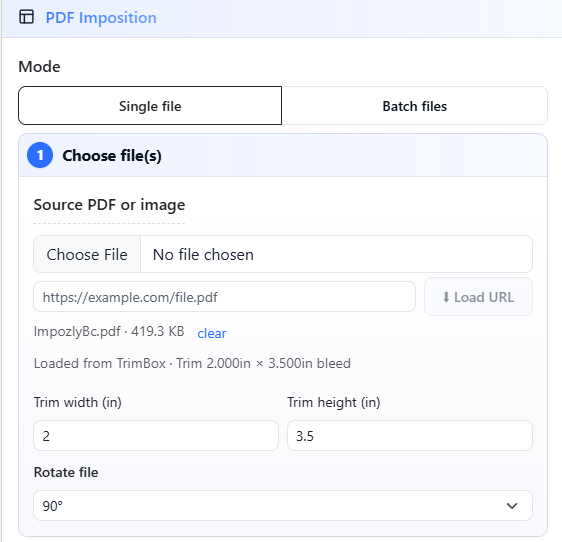
1. Upload Your PDF
Start by uploading your single-up business card PDF. Drop it into the upload area or click Choose File.
2. Pick Your Sheet Size
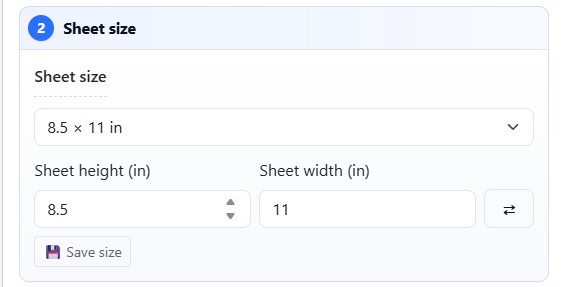
Under Sheet Size, select 8.5 x 11 inches (Letter). This matches your digital press stock.
3. Set the Layout
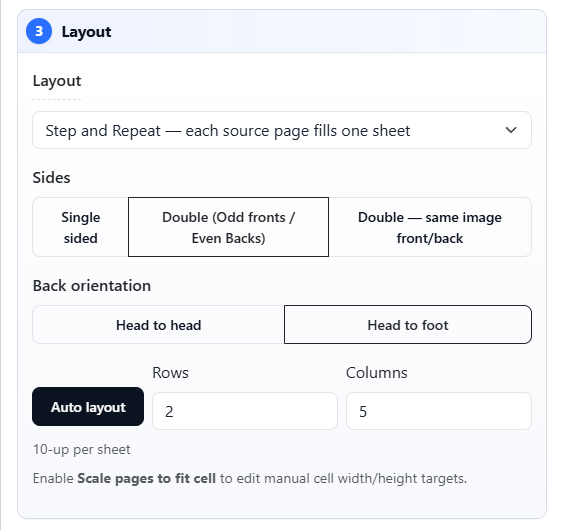
Choose Step and Repeat layout. For 10 business cards on letter size, use:
- Rows: 2
- Columns: 5
This gives you 10 cards per sheet with grain-long orientation. The math works out to 2 inches tall and 3.5 inches wide per card, which is the standard US business card size.
4. Margins, Gutters and Bleed
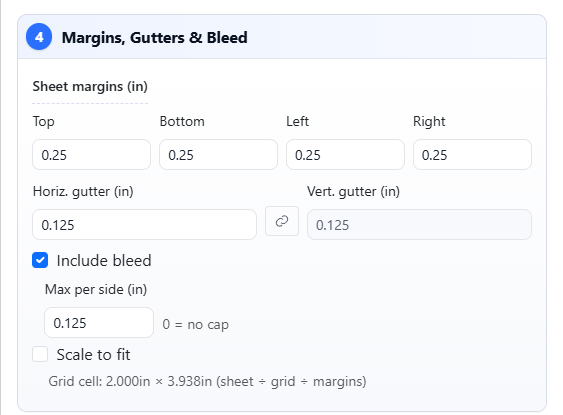
Open Margins, Gutters and Bleed and set:
- Left Margin: 0.25 inches (gripper edge)
- Right Margin: 0.25 inches
- Top Margin: 0.5 inches
- Bottom Margin: 0.5 inches
- Horizontal Gutter: 0.125 inches (1/8 inch)
- Vertical Gutter: 0.125 inches (1/8 inch)
- Bleed: 0.125 inches on all sides
The extra top and bottom margin space keeps the cards centered on the shorter dimension. Horizontal gutters of 1/8 inch give your cutter room to work without wasting stock.
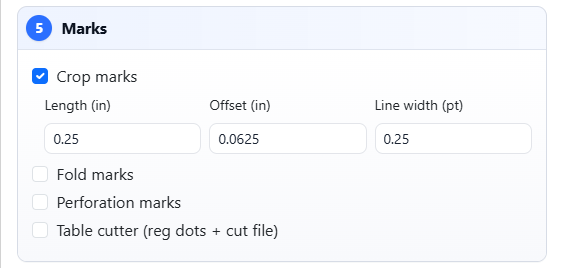
5. Choose Your Marks
Under Marks, turn on what you need. For business cards, most shops want:
- Crop marks
- Sheet info (shows job name and page count)
Toggle off registration marks and color bars unless you are running multi-color work.
6. Sheet Annotations
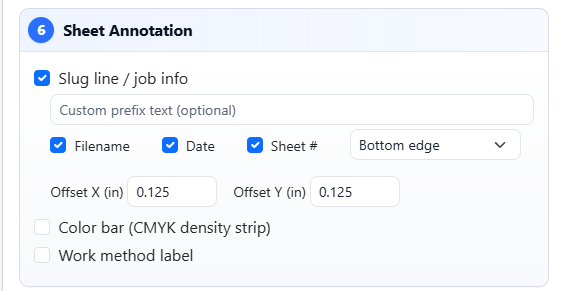
Use the Sheet Annotation field if your shop tracks jobs by operator initials or job number. Whatever you type here prints on every imposed sheet.
7. Preview and Run
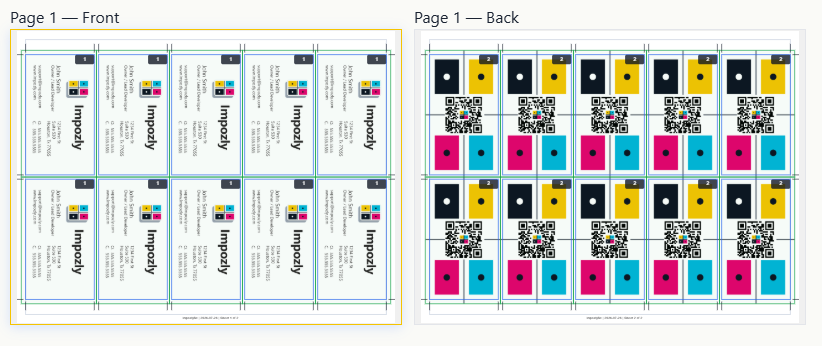
You have a live Preview before you impose. Check that:
- You have exactly 10 cards per sheet (5 across, 2 down)
- Gutters look even and margins center the cards
- Bleed extends past the trim edge
- Nothing clips off the sheet edges
The preview shows your imposed flat before you commit.
Everything look right? Click Run Imposition.
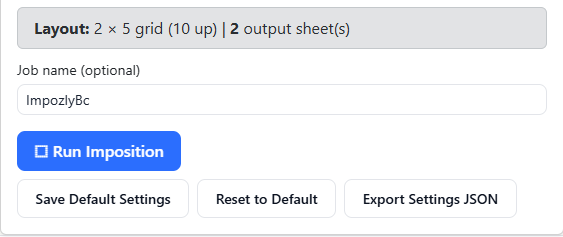
Download your imposed PDF and send it to the RIP.
What is PDF Imposition?
PDF imposition is the process of arranging multiple pages or designs onto a single larger sheet for printing. For business cards, that means taking your single 3.5×2 inch design and tiling it efficiently on a press sheet so you can cut the cards after printing.
Digital print shops often use standard 8.5×11 letter paper for short-run business cards. The 10-up layout (2 rows by 5 columns) is the most efficient arrangement for this sheet size.
FAQ: 10-Up Business Card Imposition
What does 10-up mean?
10-up means 10 individual business cards fit on one printed sheet. After printing, you cut the sheet into 10 separate cards.
What sheet size for 10-up business cards?
Standard US letter (8.5×11 inches) works for 10-up business cards. You need enough margin space for gripper edges and room for gutters between cards.
How much bleed for business cards?
0.125 inches (1/8 inch) is the industry standard bleed for business cards. Set this in Impozly if your artwork extends past the trim edge.
What gutter size for business cards?
0.125 inches between cards gives your cutter enough clearance without wasting too much stock.
Can I impose business cards for free?
Yes. Impozly's free tier lets you impose business cards with a watermark. Upgrade to Pro to remove watermarks and unlock batch processing.
Quick Reference: 10-Up Business Card on Letter
| Setting | Value |
|---|---|
| Sheet size | 8.5 x 11 inches |
| Card size | 3.5 x 2 inches |
| Layout | 2 rows x 5 columns |
| Bleed | 0.125 inches |
| Gutters | 0.125 inches |
| Top/Bottom margin | 0.25 inches |
| Left/Right margin | 0.25 inches |
| Cards per sheet | 10 |
Why Impozly?
Preps works, but it is built for commercial offset shops running complex signatures. If you are doing 10-up business cards on a digital press, you do not need a $3,000 annual license. Impozly handles N-Up layouts with proper bleed, gutters, and marks, all in a browser.
Try it yourself. Create a free account and run your first PDF imposition. Watermarked output, no credit card required.